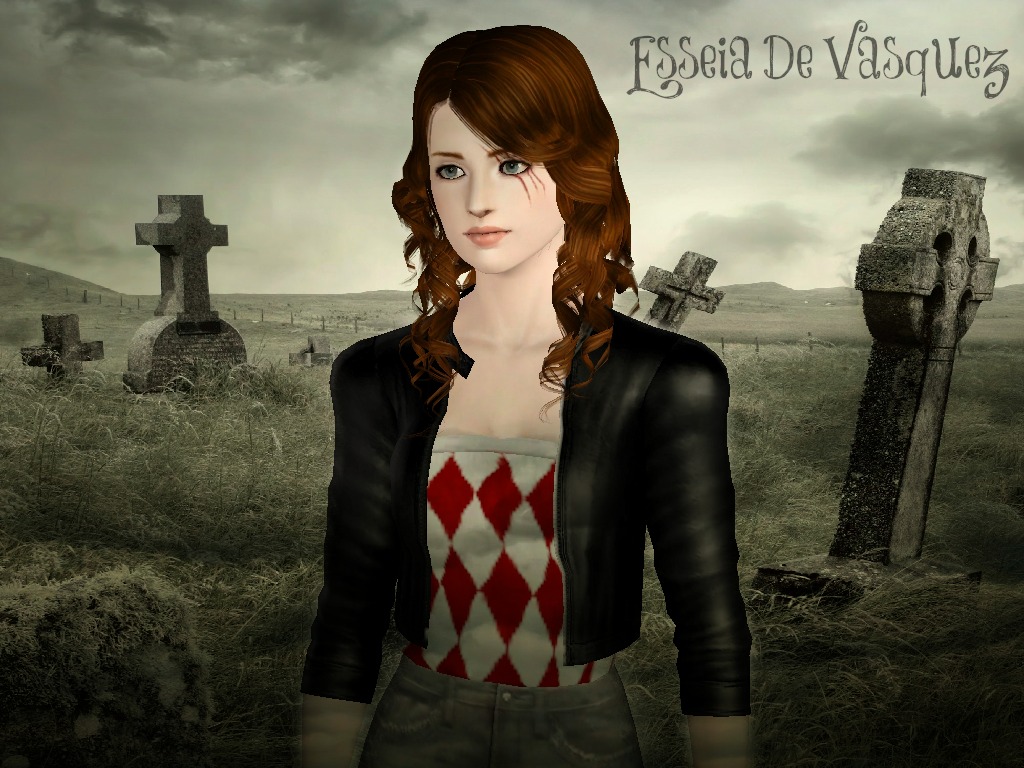
Ladies and Gentlemen may I present to you District 12’s female tribute, Miss Katniss Everdeen!
(Click on Images for larger versions)
In CAS

In game.

 (Link to Photoset for more images of sim)
This sim is an
Adult (Young Adult) Sim
Compatible with The Sims 3 base Game and above
I love The Hunger Games books, but I’ve never been one with too much
imagination, so my Katniss Sim’s appearance is purely related to the
film version of the character, but lets admit it, we love Jennifer
Lawrence anyway, so that’s not too much of a tragedy is it? ;)


The Sim’s starring looks are the Everyday and the Athletic outfits.
I’ve tried to recreate Katniss’ Seam girl look in Everyday using a
collection of custom content scavenged from the interwebs! And
the Athletic look is a tribute (bad pun is bad) to the Training Center
outfits worn in the film which I created myself. I have also thrown in
my own gimmick, in the Sleepwear tab, you’ll find Katniss wearing a
District 12 t-shirt. This is part of my District pride project. I’ve
made one for all 12 Districts from The Hunger Games (other..*cough*
locations may crop up later… like in the stories)
I will be releasing both the District 1-12 female Training Center
outfits and 1-12 pride tees soon! Don’t ask about male ones yet as I
haven’t made them! I plan to though, along with a certain blonde Baker’s
boy! ;)
Anyways Here goes!
Here are the preset
outfits for the sim:

Everyday, Formal, Sleepwear, Athletic, Swimwear (this one sucks but Katniss never wears swimwear so we can ignore that one!)
Suggested Traits:
- Brave
- Genius
- Hot-Headed
- Loves Outdoors
- Loner
Favourites:
Food: Stu Surprise (because of the Lamb stu)
Music: Custom (I mean she doesn’t even really like music)
Colour: Green (The green shirt she choose on the train, the forest)
———————————
Download
I’ve decided to change how I make these sims available for Download,
they’re still 100% free, but the way you guys will have to download them
is a little different.
In the past, problems have occurred, not with the sims themselves,
but with the content included that is made by other creators. Don’t get
me wrong, it’s great content, but there have been issues with updates
normally. So now instead of including this content
within my downloads, instead I’m going to have to point you towards the downloads.
There will be a list of MUST downloads
(not downloading and installing them at the same time as my sims will cause errors)
and an OPTIONAL list, content hightly recommended, but you can choose
whether or not you want it. However if you want the sim to show up
exactly as you see her then download everything in both sections.
So it may be a little tedious, but hey, it’s no worse than at ModTheSims! ;)
So here’s those lists for Katniss.
Sim
Download the aspects of the Sim created by myself:
Download Sim (MediaFire)
Content: MUST DOWNLOAD
unless you are 100% sure that you already have these, you must download them for this sim to work. Here shows the content:
- Non-default Skintone, Velvet by Ladyfrontbum: Source(x) Download
Content: (Sorta)Optional
Like I said, this content is highly recommended to accommodate the
sim. If you want her to look like I have her, you need all of the
following. Here shows the content (some have links to direct downloads
as well)
- Lotus NewSea Bluebird Braid Hairstyle (no bow version): Source(x) Download
- ChannyVivin Plump Lip Lipstick: Download
- Briddy_G Twisted Series- Bridget’s Eyes (Contacts): Source(x) Download
- Anubis360 Conversion of Nouk’s Wavy Long Hair: Source(x) Download
- LorandiaSims3 Leather Aviator Jacket: Source(x) Download
- altea127 Long Sports Boots: Source(x) Download
- CloudwalkerNZ Bow and Arrow - Bow 1 (on back): Source(x) Download
- ES3C Accessory Jeans: Source(x) Download
- Gudia11 Barbie Gown: Source(x) Download
This one may seem a little weird. It’s a nude clothing
(bottoms and top are automatically included) for females and sounds
creepy, but I promise there is good reason for it!
The bottoms you see on Katniss in the Everyday outfit are actually
considered Accessories. You need them because they can go UNDER shoes
(Bottoms cannot) and her look needs boots over jeans. So in order for
the sim to wear these Accessory jeans, you need to hide any other
skirts/shorts etc. So this is why you need the “Naked” trousers… or
invisible may sound nicer!
- xSIMS Nude clothes (Female): Source(x) Download
Sliders/Hacks: MUST DOWNLOAD
Same applies as above. If you don’t have the sliders then the sim
will look weird in CAS (the features will look really off) which sorta
defeats the point of a sim that’s supposed to resemble someone!
- aWT Eyeball sliders: Download
- aWT GEOM slider - Forehead depth: Download
- aWT GEOM sliders - Upper lip: Download
- aWT GEOM sliders - Nose Septum:
Download (not supported by creator at this time) Here’s my download link : Download
- bella3lek4 12 assorted sliders: Download (Top Post)
- jonha headshape fix slider: Download
- jonha body sliders: Download
- CmarNYC Pointed (Elf Ear) Sliders: Download
- whiterider Overlip curve slider: Download
Optional, but needed if you plan on tweaking the sliders at all:
- XCAS core mod. cmar_XCASbasics[1.36] needed only (download the correct one for your patch) Download
Files used: cmar_XCAS_coreBasics[36] & cmar_XCAS_TuningSlidersX3
If any of these download links are broken, PLEASE inbox me letting me know which and I’ll sort them ASAP!
——————————
Installing Files:
Installing the files should go smoothly if you just make sure that the right file types go in the CORRECT PLACE.
All .zip or .rar files need to be extracted using an extractor. WinRAR is a good free one. Help on using it, go here (
x)
- If the files are .package files;
Place it/them in your “Packages”* folder, Location: C:\Users\”YOUR NAME”\Documents\Electronic Arts\The Sims 3\Mods\Packages
*If
you do not have a Packages folder, then first make a Folder named
“Mods” in your The Sims 3 folder, shown file location above. In that Mods folder, place this file (x) and another folder named “Packages”. REMEMBER, capital letters where shown and no quotemarks or spaces.
- If the files are .SIMS3PACK files;
Place it/them in your “Downloads” Folder, Location: C:\Users"YOUR NAME”\Documents\Electronic Arts\The Sims 3\Downloads
And
open The Sims 3 launcher. When in the launcher, click the “Downloads”
tab/button on the left side (this should have an “!” next to the name
now).
There will be a list of everything in your “Downloads” folder.
You can go down checking all the items that do not have an installed
status next to them and click “Install” at the bottom, or you can just
click “Select All” and do them all.
- If the files are .sim files;
Place it/them in your “SavedSims” Folder, Location: C:\Users"YOUR NAME”\Documents\Electronic Arts\The Sims 3\SavedSims
*If
you do not have a Saved Sims folder, then first make a Folder named
“SavedSims” in your The Sims 3 folder, shown file location above. REMEMBER, capital letters where shown and no quotemarks or spaces.
These three file extensions should be the ONLY three type you
attempt to install. Anything else is NOT content for the game and either
needs redownloading, extracting or just isn’t content!
For any further detail on installing, look here (
x)
Happy Simming!
From
Legleek Sims


![Santana Lopez ~ Naya Rivera
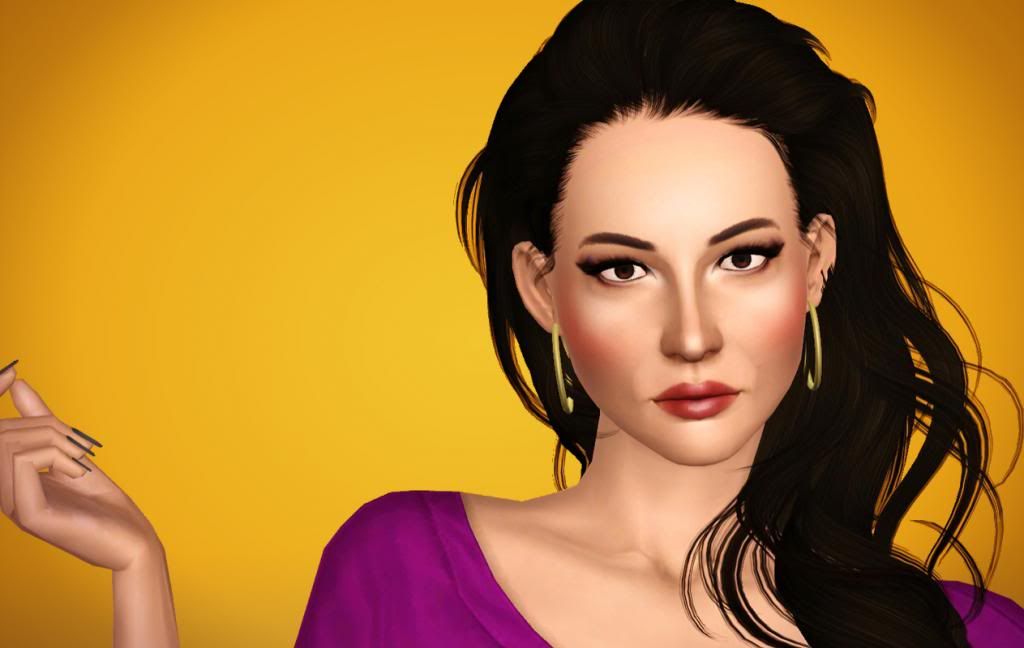
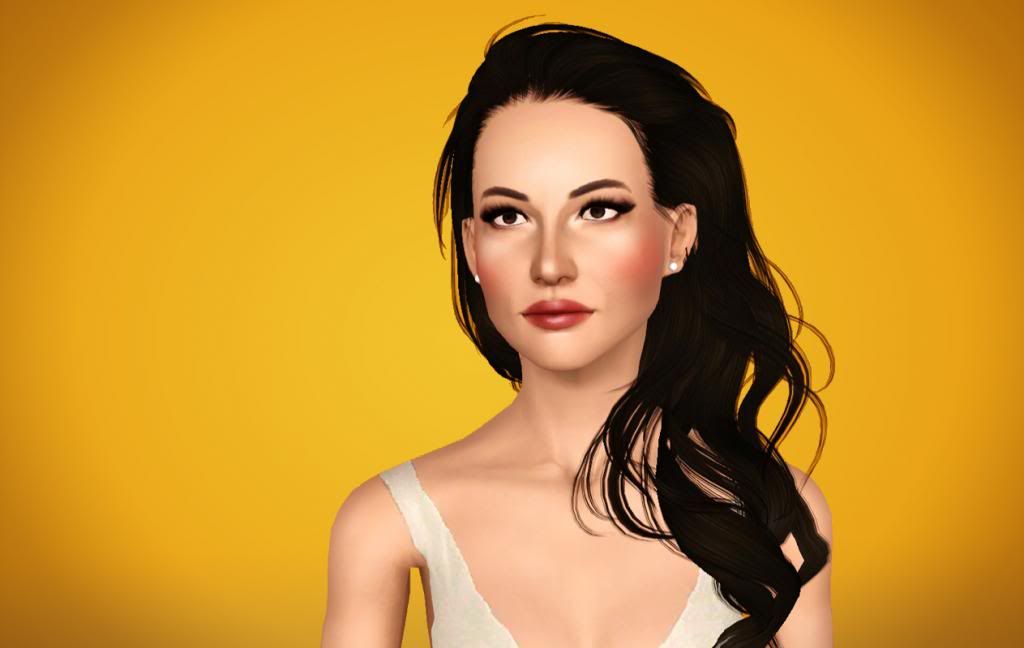
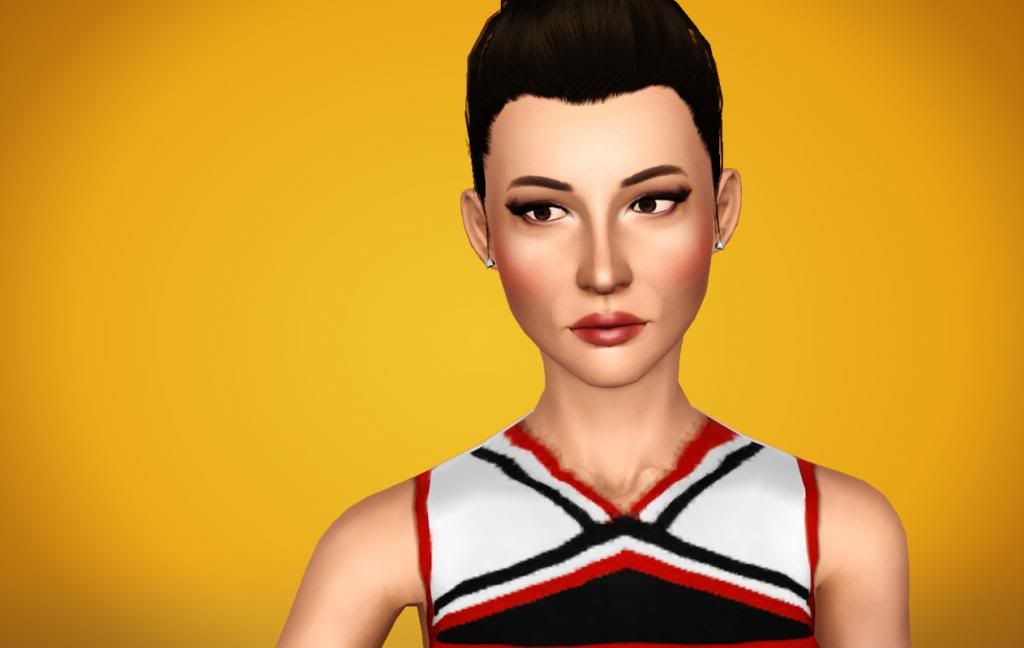
Your game isn’t complete without ‘The Snix’… and her alias, Ms Santana Lopez! You’d better be ready, because this bitch is about to go all Lima Heights Adjacent on your ass. Wanky ;)
Download FREE for your Sims 3 game, my version of Santana Lopez of Ryan Murphy & Fox’s GLEE, portrayed by Naya Rivera —->
View & Download —>
—————
This sim is an Adult (Young Adult) Sim.
Compatible with The Sims 3 Base Game and above
—————
Outfits:
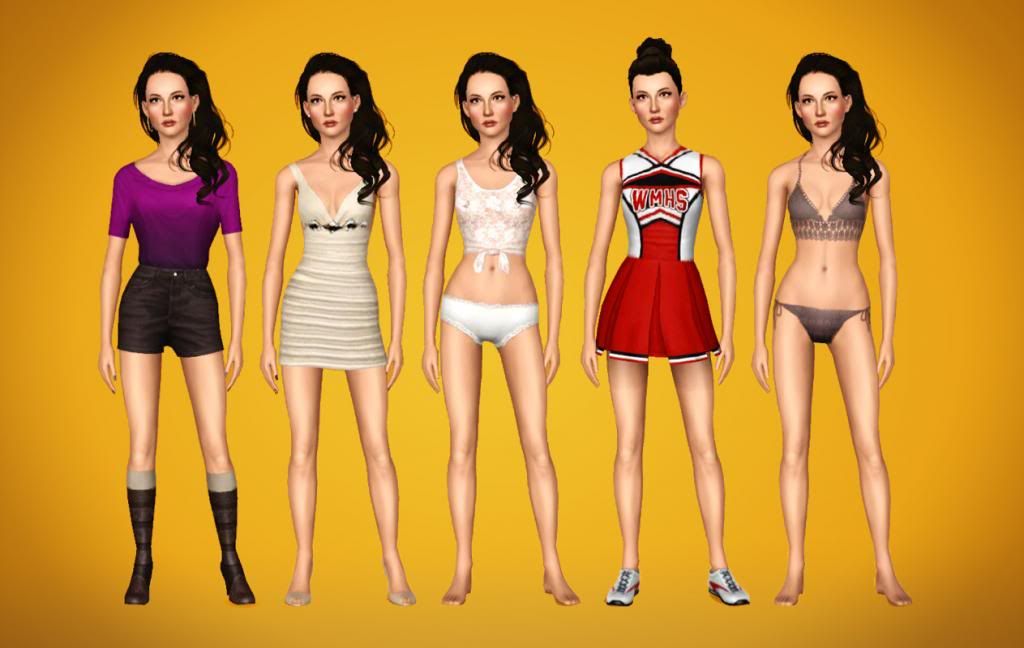
Here are the 5 outfits that come with the sim:
Everyday, Formal, Sleepwear, Athletic, Swimwear:
————-
Suggested Traits:
- Athletic- Flirty- Genius- Inappropriate- Mean Spirited
—————
DOWNLOAD
Make sure you get the sim, content and sliders for everything to show up properly and you can have a perfect sim! :)
SIM:
Santana_Lopez.sim (No content)
- DOWNLOAD
CONTENT:
ALL Custom Content:
- DOWNLOAD
OR
Download Custom Content individually (so you can pick & choose):
- Buffy Skintone [V2] - NON-default (x). Direct Download- SleepAllDay Out of Sight Contacts (x). Direct Download- Lotus NewSea Millet Hair: (x) Direct Download- Anubis360 Sunday Morning Bun (no Bow): (x) Direct Download- Shyne Realipstic [lip colour]: (x) Direct Download- Anubis360 WHMS Cheerios Uniform: (x) Direct Download- Anubis360 Love Burst Outfit: (x) Direct Download- Gosik Innocent Eyeliner: (x) Direct Download- Gosik Color Me Perfect Blush: (x) Direct Download- Gosik Classic Smoky Eyeshadow: (x) Direct Download- Gosik Midnight Fun Eyeliner: (x) Direct Download- Gosik Kissable Lipgloss: (x) Direct Download- yvonnee Lucia Dress: (x) Direct Download- Icia23 Croche Bikini Top: (x) Direct Download- Icia23 Tied Lace Tank Top: (x) Direct Download- Julianafraga29 Princess Nails: (x) Direct Download- Gosik Classic Peep-Toes Heels: (x)(x) Direct Download
SLIDERS:
!! - IMPORTANT - !! Make sure that you have ALL of these slider mods in your game, OR ELSE the sim will NOT appear correctly! Her face and body will be very different/distorted from what you see here. You may have some already, but be sure to double-check !! - IMPORTANT - !!
Sorry, no bundle download for sliders as they are constantly updating, so it’s important to get them from the original source.
- aWT GEOM slider - Forehead depth: Download - Alt.Link- -Mallow- Chin to neck slider Download- bella3lek4 12 assorted face sliders: Download (Top Post)- aWT GEOM sliders - Nose Septum: Download - Alt.Download Link- jonha assorted body sliders: Download- jonha headshape fix slider: Download- aWT GEOM sliders - Upper lip : Download - Alt.Download Link- aWT Eyeball sliders: Download - Alt.Download Link
- CmarNYC Core Mod: DownloadThe core mod lets you add more sliders to create a sim, so you’ll need it to add all of the above. It also lets you maximize the range of each slider in create a sim.Download the cmar_XCASbasics[#patchno#].zip Then, once extracted, choose the 3x slider (delete 2x & 4x)YOU WILL NEED TO UPDATE THIS MOD WITH EVERY NEW PATCH.
Installing
You need to put the .SIM in your “SavedSims” folder.
Then place all the .PACKAGE files and mods/sliders into your “Packages” folder.
Place all .SIMS3PACKS into your sims 3 “Downloads” folder, then install them using the Game Launcher.
For more information on installing content, see here —> HELP!
————-
Thanks for downloading!
If you like this sim, please show your appreciation by -
♥ Liking / Reblogging / Following :)](http://25.media.tumblr.com/c0fd1ad2daf99345142b696d64d0190a/tumblr_mkt6yfBCz71r1hhqho1_r2_1280.gif)